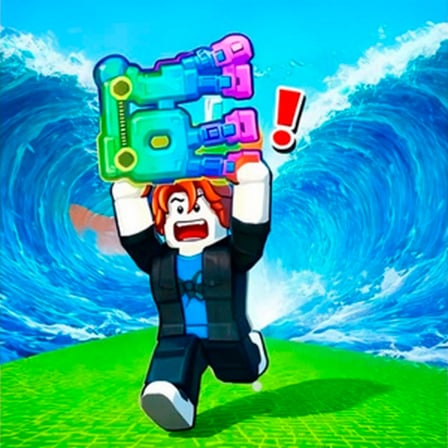
Welcome to our help hub. Whether you're stuck in Escape Tsunami for Brainrots, confused about Tsunami for Brainrots trading, or building your Obby Saves empire—solutions exist here.
Quick Links:
Can't Log In?
- Forgot password? Use "Reset Password" on login screen
- Account locked? Email support@stephanie8.freeqiye.com
- Wrong email linked? Verify recovery email in settings
- Two-factor authentication issues? Disable in settings temporarily
Typical fixes:
- Clear browser cache
- Try incognito/private mode
- Check email confirmation (might be in spam)
- Update browser to latest version
Full Account Troubleshooting Guide →
Can't Access via Discord?
Discord login works if:
- Your Discord account is verified (check Discord settings)
- You've granted permissions to our platform
- Email linked to Discord isn't already registered
Try desktop browser if mobile login fails.
Escape Tsunami for Brainrots:
- How do currency conversions work? (Cash vs Gems guide)
- What's the optimal base upgrade path? (Early/mid/late game strategies)
- How long until the tsunami timer resets? (Mechanics explanation)
- Why did I lose my collected items? (Tsunami catch mechanics)
Complete Escape Tsunami Game Guide →
Tsunami for Brainrots (Trading Edition):
- Where do I find Divine brainrots? (Rarity tier locations)
- How do mutations work? (Collection system explained)
- What's a fair price for this trade? (Price guide & history)
- Can I reverse a trade I regret? (Dispute resolution)
Complete Tsunami for Brainrots Trading Guide →
Obby Saves Brainrots from Tsunami:
- How do companions generate passive income? (Tycoon mechanics)
- How does the gacha summoning work? (Rarity system)
- What's the best farming route? (Community speedrun strategies)
- How do offline earnings work? (Idle progression explained)
Complete Obby Saves Game Guide →
My Trade Didn't Complete
Our automated system validates trades:
- ✓ Check both inventories (you need items)
- ✓ Verify friend status (you must accept friend requests)
- ✓ Check cooldown timer (wait 5 seconds between trades)
- ✓ Ensure same server region (cross-region trades fail)
Still broken? Screenshot both player inventories + error message. Email support@stephanie8.freeqiye.com with subject: "Trade Failed: [Game Name]"
Someone Scammed Me
We take fraud seriously:
- Screenshot everything (profile, chat, items offered, final inventory state)
- Post in Discord #trading-disputes within 48 hours
- Our moderators investigate transaction logs (automatic records)
- We reverse the trade if the scammer is confirmed
- Scammer gets permanently banned
Tsunami brainrots games trading protection is enabled by default.
What's the Trade Tax?
We charge 0% transaction fee. Roblox games handle their own fees. Peer-to-peer trades are free.
Why Isn't My Gem Purchase Working?
Stripe processes instantly:
- Check your email for payment confirmation
- Gems appear within 5 minutes automatically
- Refresh browser if gems don't show
I Purchased But Didn't Receive Gems
-
Email support@stephanie8.freeqiye.com with:
- Screenshot of payment confirmation email
- Your username
- Gems you purchased
- When you purchased
-
We verify the transaction (usually 1 hour)
-
Gems credited manually if needed
-
Refund issued if purchase failed
Average resolution: 4 hours.
Can I Get a Refund?
- Within 48 hours: Full refund, no questions asked
- Cosmetics used: No refund (consumed the goods)
- Bug prevented use: Refund + compensation
My Credit Card Was Declined
Stripe rejects cards for:
- Insufficient funds
- Address/ZIP mismatch
- Card fraud alerts (ask your bank)
- Expired cards
Try:
- Different card
- Updating your billing address
- Contacting your bank
Game Lags or Crashes
Optimize your experience:
For Desktop:
- Close background apps (Chrome memory killer: other tabs)
- Update browser to latest version
- Disable browser extensions (they slow performance)
- Check internet speed: need 5+ Mbps download minimum
- Switch from WiFi to ethernet if WiFi is unstable
For Mobile:
- Close background apps
- Reduce screen brightness to medium
- Clear app cache (settings > apps > clear cache)
- Update OS to latest version
- Try mobile browser instead of app
Still lagging? Email your specs:
- Device model (iPhone 12, Samsung Galaxy S22, etc.)
- OS version (iOS 16.4, Android 13, etc.)
- Internet speed (test at speedtest.net)
- Which tsunami brainrots games lag worst
We investigate performance on your exact setup.
Can't Download the App
- Check Play Store/App Store connection
- Update account payment method if needed
- Free up 500MB+ space on device
- Try downloading on WiFi instead of mobile data
- Restart your phone
Still Stuck? Email support@stephanie8.freeqiye.com with your device/OS.
Sound/Music Issues
- Enable volume in device settings
- Check game audio settings (not muted)
- Restart the app
- Update audio drivers (desktop)
Someone Harassed/Scammed Me
We have zero tolerance:
- Screenshot the harassment (chat, trade abuse, etc.)
- Block the player (settings > block user)
- Report to moderators in Discord with screenshot
- We investigate within 24 hours
- Offender banned immediately if confirmed
Harassment is unacceptable. Scams get permanent bans.
How Do I Mute/Block Someone?
- In Discord: /mute @username or /block @username
- In-game profile: Settings > Block Player
- They can't message, trade, or see your stats
My Account Was Hacked
Act immediately:
- Change password (complex, 12+ characters)
- Enable 2FA (settings > two-factor authentication)
- Email support@stephanie8.freeqiye.com with "ACCOUNT COMPROMISED"
- We freeze trading on your account temporarily
- We investigate what the hacker accessed/traded
- We reverse fraudulent trades within 48 hours
Insurance covers most stolen items if trade logs prove compromise.
Q: Do you offer customer support on weekends?
A: Yes. Our team works 7 days a week. Response slightly slower Sunday evenings, but still within 24 hours.
Q: My question isn't answered in guides. Where do I ask?
A: Join our Discord server and post in #general-chat. Community members answer within minutes usually. Moderators jump in if complicated.
Q: Can I appeal a permanent ban?
A: Only if you have new evidence of innocence. Most bans are permanent for cheating/scamming/harassment. Appeals reviewed within a week.
Q: How long does account deletion take?
A: Complete deletion within 30 days. All personal data erased. Game progress & cosmetics gone forever.
Q: What if I find a bug in tsunami brainrots games?
A: Email support@stephanie8.freeqiye.com with: exact steps to reproduce, screenshots/video, device info, and result vs expected behavior.
Q: Does the platform work offline?
A: Games require internet for trading/leaderboards. Single-player progress syncs when online next.
Email: support@stephanie8.freeqiye.com
Discord: Join our community server
In-Game: Report issues directly (auto-forwarded to support)
Phone Support: Coming Q2 2026
We track our performance:
- Average response time: 8 hours (target: 24 hours max)
- Issue resolution rate: 94% first contact
- Player satisfaction: 4.7/5.0 stars
- Reopened tickets: 2.1% (most issues solved permanently)
This is because you matter to us.
Thank you for playing tsunami brainrots games with us.